
Ultimate Photo Collage & Stitching Guide 2026
Complete guide to creating stunning photobooth collages, photo grids, film strips, and mood boards with Poket. Pro tips for beautiful photo stitching.
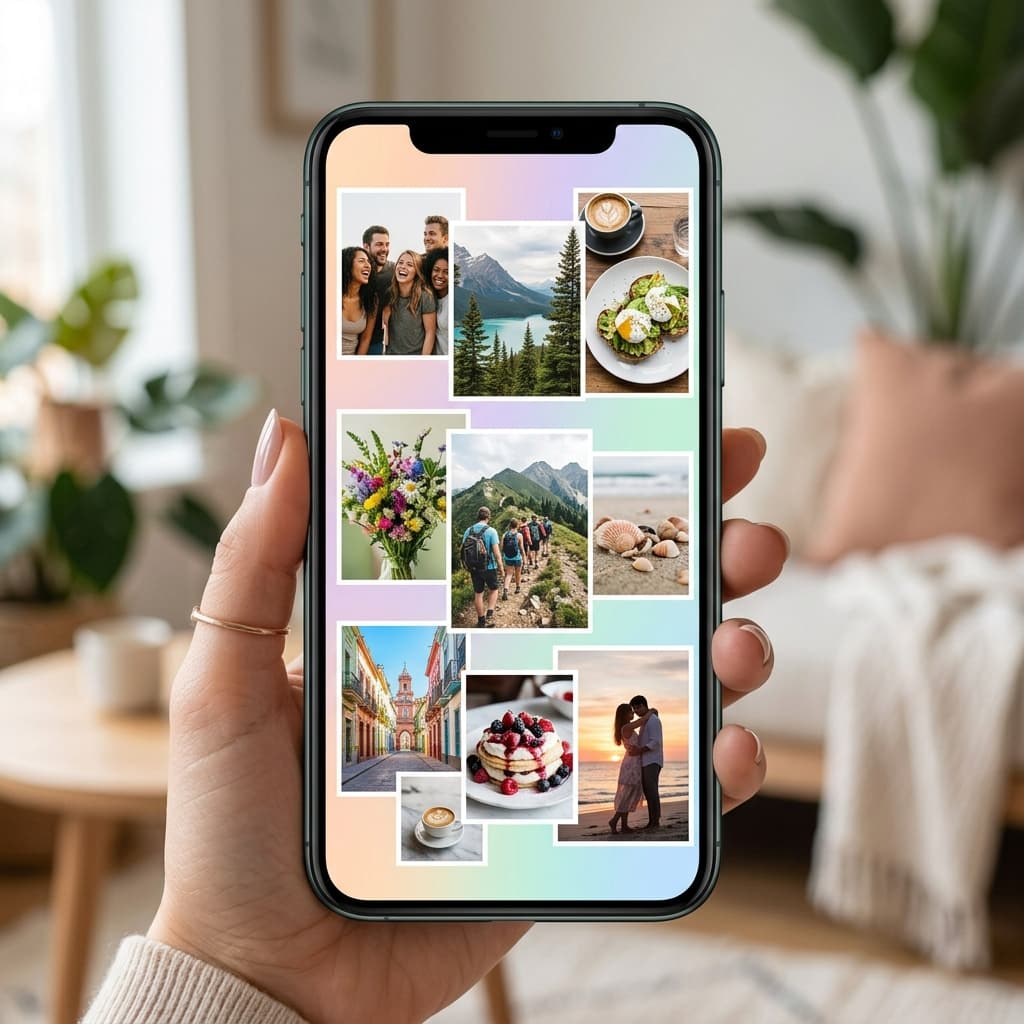
Photo collaging is the art of combining multiple photos into one beautiful composition. With Poket, you can create stunning PhotoBooth and Polaroid collages in just minutes!
What is Photo Collage? Why Should You Create Collages?
Photo collage is the technique of arranging multiple photos into a single frame with creative layouts. It's a great way to:
- Tell a story — Combine multiple moments in one image
- Preserve memories — Collage photos from a trip, party, or event
- Create gifts — Print photo collages as birthday or anniversary presents
- Social media impact — Collages stand out more than single photos on Instagram and Facebook
Popular Collage Styles on Poket
1. Grid Layout — Balanced photo grids
The classic collage style, evenly divided into 2x2, 3x3, or 2x3 cells. Each cell holds one photo. Perfect for group photos, family shots, or event recaps.
Pro tip: Choose photos with similar color tones for a harmonious collage.
2. Film Strip — PhotoBooth strips
The quintessential PhotoBooth style. 3-4 photos stacked vertically like a film strip, usually with a white border at the bottom for captions.
Pro tip: Show a different expression in each frame — serious, smiling, laughing, then a silly pose.
3. Polaroid Grid — Multiple Polaroid arrangement
Arrange 4-9 Polaroid photos into one large image. Each Polaroid has its own white frame, creating a real photo collection feel.
Pro tip: Slightly rotate each Polaroid at different angles for a natural, scattered look.
4. Story Layout — Narrative composition
Combine large and small photos in asymmetric layouts, creating a magazine-page feel. The main photo takes center stage while supporting photos add context.
5. Mood Board — Creative inspiration board
Free-form style combining photos, stickers, text, and decorations on pastel or cork board backgrounds. Perfect for aesthetic feeds, Instagram stories, or fashion inspiration.
Step-by-Step Collage Guide with Poket
Step 1: Open Poket and choose your mode
Launch Poket, select PhotoBooth to capture new photos or Studio to collage existing photos from your gallery.
Step 2: Choose your collage layout
Poket offers dozens of collage templates: Grid 2x2, Film Strip, Polaroid Grid, Story Layout, Free Style... Pick the template that matches your number of photos.
Step 3: Add photos to each cell
Tap each cell to select photos from your gallery or capture new ones. Drag, zoom in, zoom out to adjust each photo's position within its cell.
Step 4: Decorate and customize
Apply a unified filter across the entire collage, or individual filters per photo. Add stickers, text, dates, and emoji to personalize.
Step 5: Save and share
Save your high-quality collage to your device, share to Instagram Stories, Facebook, or send via Locket Camera to friends!
Pro Tips for Professional Collages
- Consistent color palette — Choose photos with matching tones or apply the same filter
- Balanced composition — Alternate between portrait and landscape orientations
- Breathing room — Don't overcrowd; allow space between cells
- Clear theme — Each collage should have a theme: travel, friends, food, fashion...
- High-quality photos — Avoid blurry or poorly lit images
Download Poket for Amazing Collages
Poket is the leading free PhotoBooth and Polaroid collage app. With hundreds of collage templates, professional filters, and Locket Camera integration — creating beautiful collages has never been easier!
📲 Download Poket for free!
 App Store
 Google Play